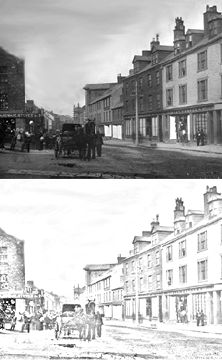
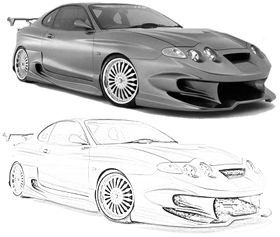
TeamPhotoshop
 
Sketch effect in PS 7


Sketch Effect with Photoshop 7:
1.
This tutorial was written by "heathrowe"
http://www.heathrowe.com

Here's a simple trick to create a sketch effect.

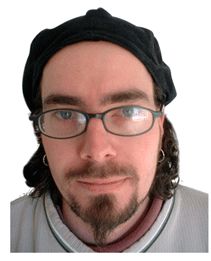
First, open the image you want to 'sketch'. (Me)

 2.
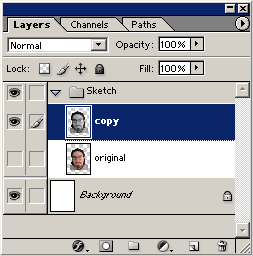
If your using Photoshop 7, use a 'Layer Set' for organization.
Next duplicate, the original photo/image layer( I called mine 'copy'), and hide the original.
Select the copy layer, then go to 'Image/Adjustments/Desaturate'.

(Alternately,
PC Shortcut: 'Ctrl + Shift + U' = Desaturate
Mac Shortcut:'Cmd + Shift + U' = Desaturate.)

Left is what your 'Layers Palette' would look like.

 3.
And this is the 'Desaturate' image.

 4.
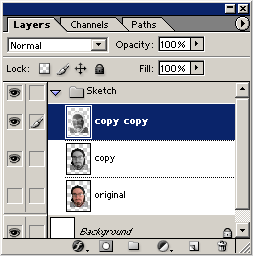
Next, duplicate the 'copy' (desaturated) layer.
Select that layer, then go to 'Image/Adjustments/Invert'.

(Alternately,
PC Shortcut: 'Ctrl + I' = Invert
Mac Shortcut: 'Cmd + I = Invert)
 5.
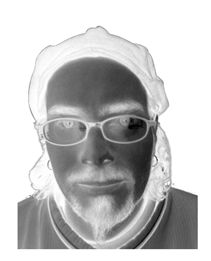
Here's what the inverted layer should look like.
 6.
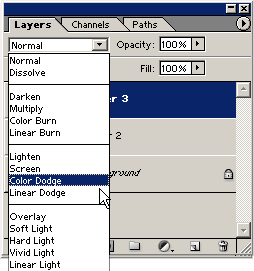
Now, Select that 'inverted' layer, in the 'Layers Palette', and from the 'Blending Modes' drop down list, choose 'Color Dodge'.

(Alternately,
PC Shortcut: 'Alt + Shift + D' = Color Dodge.
Mac Shortcut: 'Option + Shift + D' = Color Dodge.)
 7.
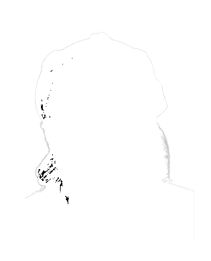
This is what my 'Color Dodge' image looks like. It should be mostly white. (Mine is not, only because I previously cut the background out of the image.)
 8.
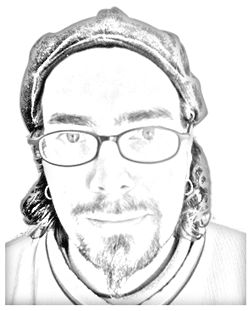
Finally, have the 'Color Dodge' layer selected and go to 'Filter/Blur/Gaussian Blur' and toy with the 'Radius' integer. In this case, a 'radius' from '1-9' worked best. Anything after that it just restored the image back to what it looked like when we desaturated it.
 9.
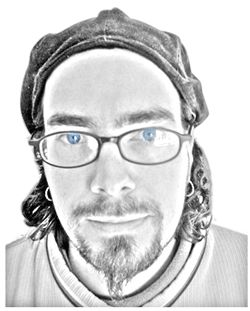
Some enhancements, such as shading and colored eyes.


 10.
Works well on other subject matters also.

If you have any questions or comments regarding this tutorial please post it in this thread
http://forum.teamphotoshop.com/showthread.php?t=24755
Print Article


Login / Register
... Or Register


From The Forums...
How to convert DVD and video to iPad with all in one iPad software
Many people want to view different video movies on...
Military Uniforms
I'm wanting to create military uniforms for a gami...
Mouse Clicks... please read-
try resetting pref How to reset Photoshop preferen...
Need help recreating a simple background image
hi, I played around with this alittle... thisis v...
car help
Perhaps you should post this to the link you provi...
... Go to Forum


Tutorial Image

Learn to make your own actions and save a ton of time.
Recording your own Actions with the Actions Palette...

Tutorial Image

Retouching a photo. Step 1: Using Levels
Part 1 of our photo retouching series. This first section covers using levels to alter the color of an image...


© Web Media Network Limited. All rights reserved. No part of this website may be reproduced without written permission. Photoshop is a registered trademark of Adobe Inc.. TeamPhotoshop.com is not associated in any way with Adobe, nor is an offical Photoshop website.
..